Live Matrix wallpaper and screensaver for Mac.
Real Matrix digital rain behind your windows or as your screen saver, rendered live in Metal on every display.
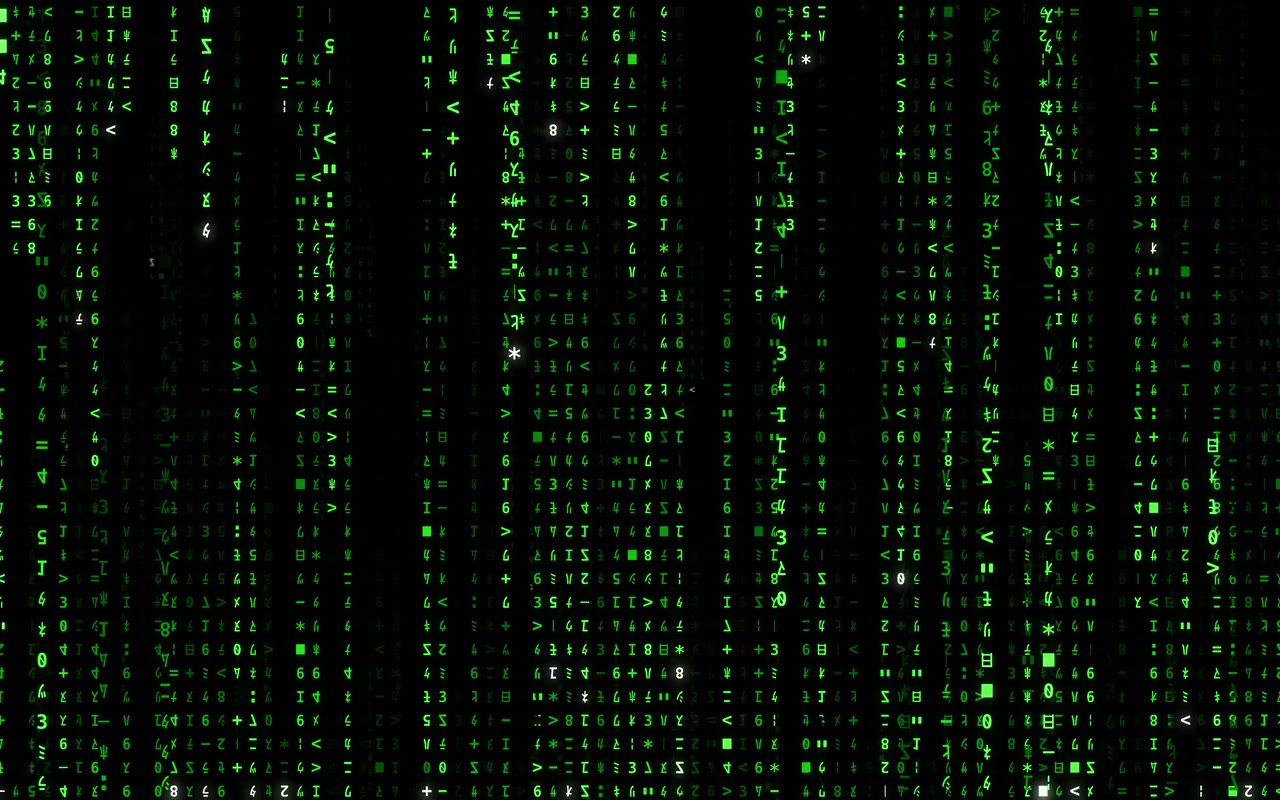

Perfect for vibe coding or headless Mac Minis & Studios running Open Claw & Hermes Agent.
How to install the Matrix screensaver on macOS
Four steps. Works on macOS 14 Sonoma and later.
1. Install the app
Download the DMG, open it, and drag Matrix Desktop to your Applications folder.
2. Register Matrix Rain
Click the Matrix Desktop menu bar icon, choose Settings, then the Screen Saver tab, and click Register Matrix Rain with macOS.
3. Select it in System Settings
Click Open macOS Screen Saver Settings. On macOS 26 or later, choose Custom, scroll down to Other, and select Matrix Rain. On macOS 14 and 15, scroll down to Other and select Matrix Rain.
4. Lock when it starts
For password protection, set Require password to Immediately in macOS Lock Screen settings. The screensaver then locks your Mac like any built-in saver.
Install via terminal
SSH into your Mac Mini and run one command.
MATRIX_INSTALLER="$(mktemp -t matrix-desktop-install)" && curl --fail --location --proto '=https' --tlsv1.2 https://matrix.watch/install.sh -o "$MATRIX_INSTALLER" && /bin/bash "$MATRIX_INSTALLER" && rm -f "$MATRIX_INSTALLER"
osascript -e 'tell application "System Events" to make login item at end with properties {path:"/Applications/Matrix Desktop.app", hidden:false}'
killall "Matrix Desktop" 2>/dev/null; open /Applications/Matrix\ Desktop.app
Install Matrix Desktop on this Mac using https://matrix.watch/install.sh. Download the installer with curl --fail over HTTPS, inspect it if needed, and run it with /bin/bash. The installer must validate the DMG, code signature, and Gatekeeper assessment, stage the new app before replacing an existing copy, and restore the previous app if replacement fails. Then register /Applications/Matrix Desktop.app as a login item, verify the app is running, and report the installed version.
12 presets, all adjustable
Switch from the menu bar. Every parameter tunable in real time.
What's actually happening
Native Metal GPU
A CPU simulation advances the rain while a 5-pass Metal compute pipeline handles scene compositing, bloom, Gaussian blur, and final color. Learn more about the rendering pipeline.
Desktop-level window
Renders behind all your windows at the desktop layer. Not a screensaver, not fullscreen. Your apps sit on top, rain runs underneath. How live wallpapers work on macOS.
Film-accurate simulation
Glyphs are fixed in a grid. Deletion strings, cursor stammering, cross-dissolve changes. Matched to the original frame-by-frame. See the full breakdown.
Smart power management
Drops frame rate and disables bloom on battery or under thermal pressure. Pauses on sleep and while the screen saver is active.
Multi-monitor
One renderer per connected display, using that screen's Metal device when available. Displays are added and removed automatically.
Menu bar controls
Switch presets, adjust every parameter, pause, restart. Settings persist across launches. Shuffle mode rotates hourly.
Frequently asked questions
What is Matrix Desktop?
Matrix Desktop is a free native macOS app that provides both a live Matrix wallpaper and a Matrix screensaver. It renders film-accurate digital rain with Apple's Metal framework, 12 color presets, and real-time menu-bar controls.
Is Matrix Desktop free?
Yes. Completely free with no account, no subscription, and no in-app purchases. It also contains no analytics or tracking of any kind.
Does it need a dedicated GPU?
No. Matrix Desktop uses the integrated GPU in Apple Silicon Macs. Its Metal compute pipeline does not require a separate graphics card.
Does it work on a Mac Mini?
Yes. It works on Apple Silicon Mac Mini, Mac Studio, MacBook, iMac, and Mac Pro models running macOS 14 Sonoma or later. It can be installed on a headless Mac entirely via SSH.
What presets are available?
12 presets: Classic, Megacity, Operator, Nightmare, Authentic, Resurrections, Trinity, Morpheus, Bugs, Palimpsest, Twilight, and Neo. Authentic runs three depth planes on the 1999 lattice with full-column trails, and every parameter is adjustable in real time. See the full preset guide.
Does it slow down my Mac?
Any live wallpaper uses resources while it renders. Matrix Desktop combines a lightweight CPU simulation with Metal compute shaders, reduces its frame-rate target and disables bloom on battery or under thermal pressure, and can be paused from the menu bar. Actual impact varies by Mac and display setup.
How do I install it?
Download the DMG from this page, open it, and drag the app to your Applications folder. Or install via a single terminal command — see the install section above. No App Store account or Homebrew required.
Does it include a Matrix screensaver?
Yes. Open the Screen Saver tab in Matrix Desktop, register the native saver, then choose Matrix Rain in macOS Screen Saver settings. For automatic locking, set macOS to require a password immediately after the saver starts. The separate app overlay does not lock your Mac. Wallpaper and saver appearances remain independent.
How do I set up the Matrix screensaver on macOS?
Install Matrix Desktop, open Settings from its menu bar icon, then the Screen Saver tab, and click Register Matrix Rain with macOS. Then click Open macOS Screen Saver Settings. On macOS 26 or later, choose Custom, scroll down to Other, and select Matrix Rain. On macOS 14 and macOS 15, scroll down to Other and select Matrix Rain.
Which Macs can run the Matrix screensaver?
Apple Silicon Macs running macOS 14 Sonoma or later, including macOS 15 Sequoia and macOS 26 Tahoe. That covers MacBook Air, MacBook Pro, iMac, Mac Mini, Mac Studio, and Mac Pro models with M-series chips.
Download the Matrix wallpaper & screensaver
No account, no subscription, no analytics. Just rain.
Download for Mac